
Category: AX 2009

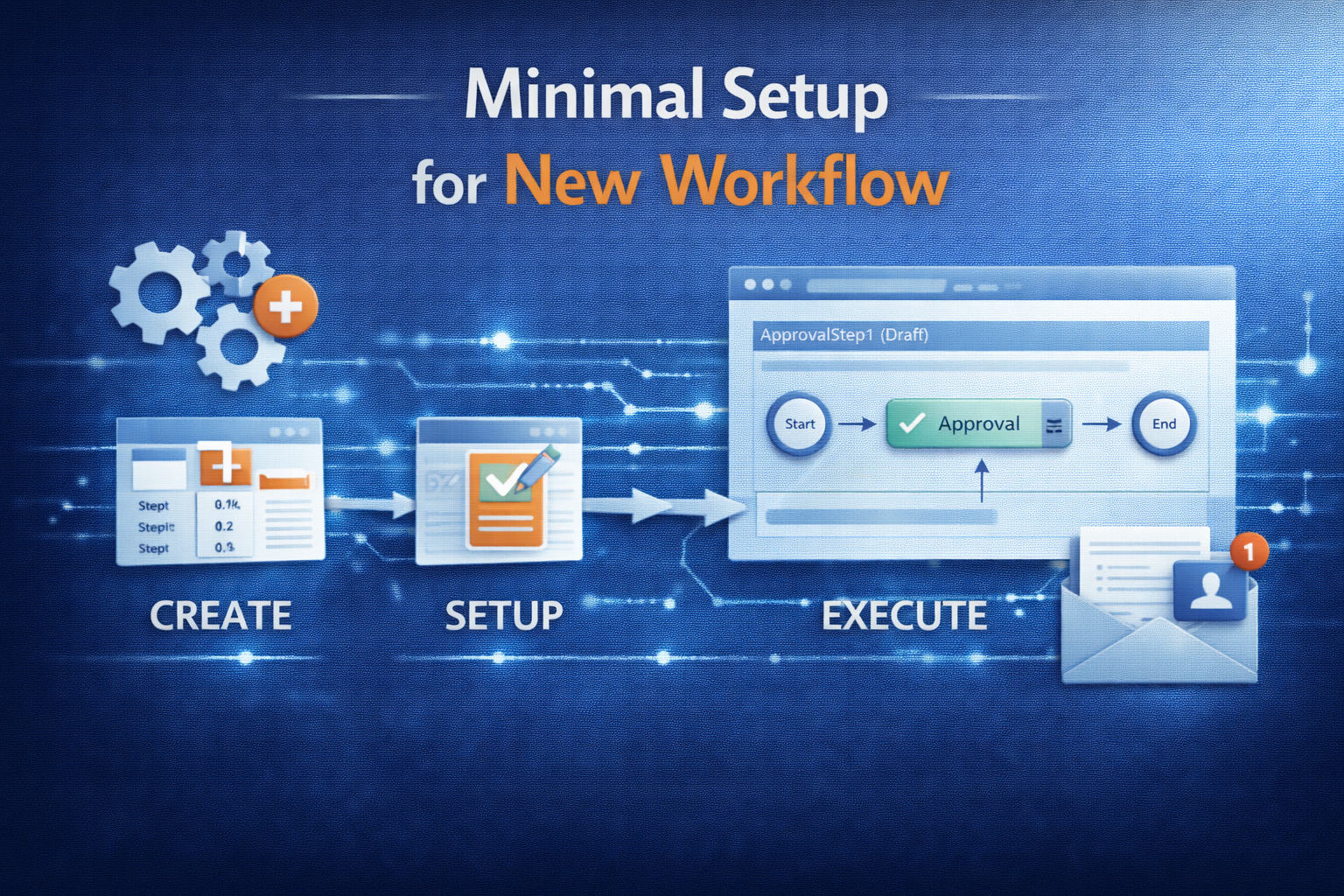
  • Minimal Setup for new Workflow

    Minimal Setup for new Workflow

    Sumit created nice overview of workflow-implementations in AX:

    Developing a new Workflow

    The section below describes briefly, the process of developing a new workflow.

    Overview

    To develop a new workflow, following artifacts or objects need to be created / modified:

    • Workflow Categories
    • Workflow Templates
    • Workflow Query (Document)
    • Workflow Approvals and Tasks (Tasks are optional)
    • Enabling the workflows on the form
    • Workflow submission classes

    Let us go through each of these artifacts one by one:

    Create Workflow Categories

    A workflow category defines the module in which the workflow will be available. Modules are defined by the SysModule enum. You will be doing following here:

    • Create a new category in workflow categories node (AOT>>Workflow>>Workflow Categories)
    • Specify the name and module to which it belongs

    Create Workflow Templates (AX 2012: Workflow Types)

    A workflow template brings all the different elements of the workflow together. Workflow configurations are created based on a template, and many configurations can be based on the same template. The template defines which actions are allowed and which are required.

    You will be doing following here:

    • Create a new template in the workflow templates node (AOT>>Workflow>>Workflow Templates) (AX 2012: AOT>>Workflow>>Workflow Types)
    • Specify a name and category to which it belongs

    Next we create a work flow document.

    Create Workflow Document

    A query defines what tables are used to determine that a workflow can be initiated. Here you will do the following

    • Create a new query (AOT>>Queries)
    • Specify a name and Add required tables to the data source.
    • Create a new class extending from WorkFlowDocument class (AOT>>Classes)
    • Override the method getQueryName and return the name of newly created query
    • Save the class
    • Once query and its supporting class is created, attach this to Workflow template (Specify it under the Document property of template; AX 2012: type)

    Next step is to attach Approvals and / or Tasks

    Create Workflow Approvals (or Tasks):

    An approval route may contain a number of outcomes. It may be approved, rejected, returned or a change may be requested (For task it will be complete, reject or request change). The Workflow Approval element determines which of these outcomes is allowed and what happens in the event of each outcome. Each outcome can trigger specific code by specifying a menu item for each item. Do the following to create an approval

    • Create a new approval object in the Approvals node. (AOT>>Workflow>>Approvals)
    • Specify a unique name for the approval
    • Specify the Document (The class created for query) in the Document property
    • Specify ParticipantProvider. Normally you specify WorkflowUserGroupParticipantProvider, but you can create your own participant provider. (Missing in AX 2012)
    • Specify DueDateProvider. Normally you specify WorkflowWorkCalendarDueDateProvider, but you can create your own due date provider. (Missing in AX 2012)
    • Specify HierarchyProvider. Normally you specify WorkflowLimitHierarchyProvider, but you can create your own hierarchy provider. (Missing in AX 2012)
    • Set the DocumentMenuItem to form menu item where you want the workflow to appear (Example sales order etc.)
    • Approval Outcomes:
      • Use a standard class that acts as an engine for all approval outcomes
      • You are not required to do anything but set the workflow to applicable outcomes, therefore call the same class from different menu items. The menu items simply allow you to use two different labels. In more complex workflows it may be necessary to override or copy and modify this class rather than use it directly. Example: If you have to set an outcome for Approved do the following:
        1. Create a new Action type menu item and specify a name to it
        2. Set ObjectType property to Class and Object property to WorkflowWorkItemActionManager
        3. Now get to Workflow>>Approvals>>Approval_you_created>>Outcomes>>Approve node and specify ActionMenuItem as new menuitem created before.
        4. Repeat Step 2 for all the outcomes you need
      • If you do not need an outcome you can simply disable it by changing Enabled property to No
    • Once completed, drag and drop this approval (or task) into the previously created workflow template (AX 2012: Worfklow Type)

    Enable workflow on a form

    Now that the workflow template is defined, you can specify which forms will use this template. Do the following:

    • Add a WorkflowState field (More can be added by CreatedBy, Time, Status etc.) to the required table
    • In the desired form, go to the design node properties and set property WorkFlowEnabled to “Yes”, set the WorkFlowDataSource (the table of the previous step) and (AX 2012 only) set the WorkflowType as defined above.
    • If you want, you can override the method canSubmitToWorkflow on the form and specify conditions when user can submit the record to workflow

    After enabling the workflow on class, create a class to submit the records to workflow

    Create a Submit to Workflow class

    To submit a document to workflow, call standard code to prompt the user for a comment and to process the submission. (Look at PurchReqWorkflow class for an example)

    • After creating the submit to workflow class, create a corresponding action menu item
    • Now traverse to the workflow template (AX 2012: Worfklow Type) and specify this submit to workflow class menu item on the SubmitToWorkFlowMenuItem property
    • Once this is done you can then configure the workflow and test it. (You can refer the Workflows – Installation and Configuration document that I sent earlier for configuring the workflows)

    This will give you a broad idea as to what needs to be done for creating a workflow.

    Compile

    In AX 2012 it is required to update CIL before the Workflow can be configured.

    (updated for AX 2012 on 07/07/2014)
  • Edit System Fields

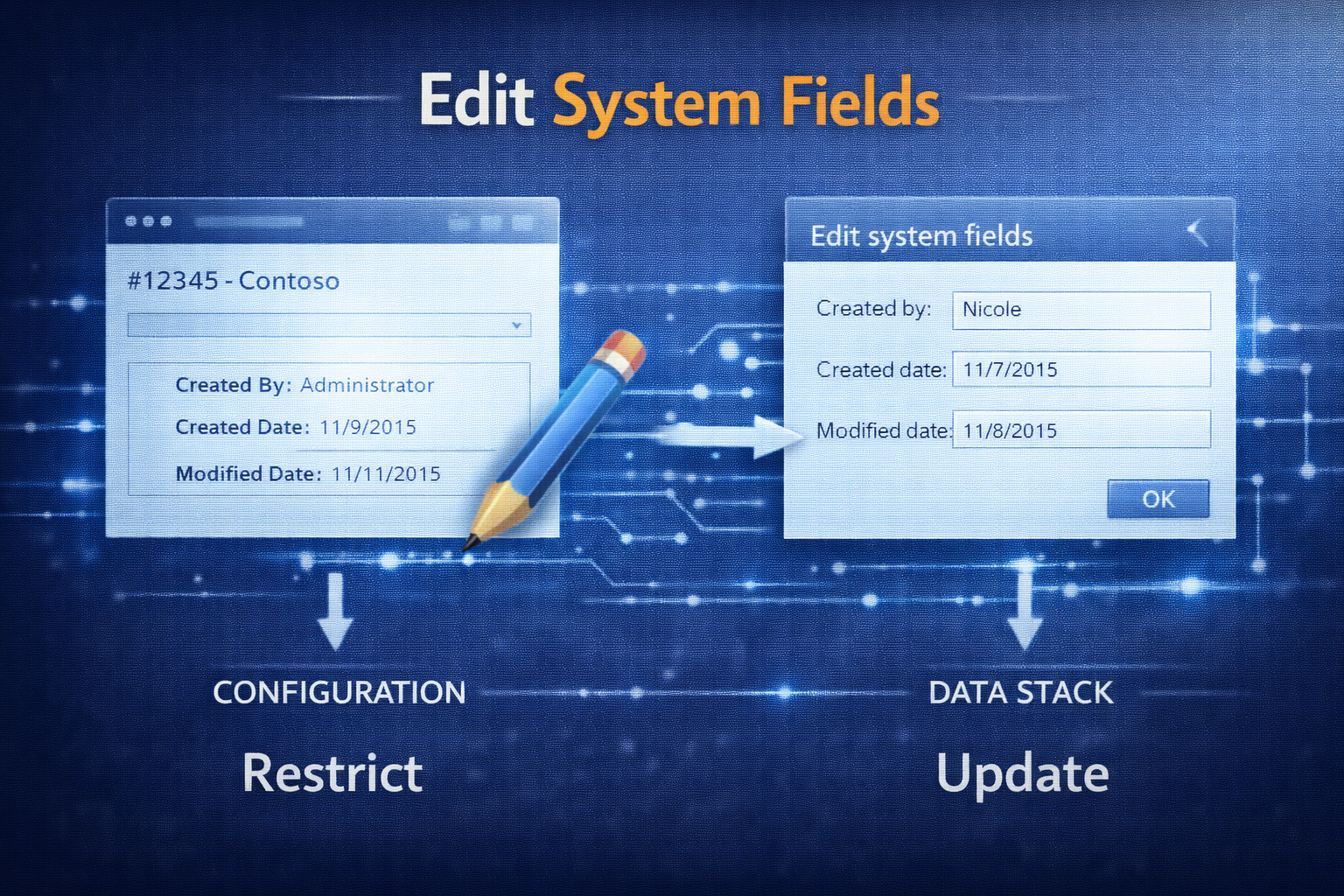
    Edit System Fields

    Simple example for creating a record with systems fields set by code:

    protected static server CaseLog createCaseLog(RefRecId _caseDatail, CreatedBy _createdBy, CreatedDateTime _createdDateTime)
    {
        CaseLog caseLog;
        if(_createdBy && _caseDatail)
        {
            caseLog.initValue();
            caseLog.CaseRecId = _caseDatail;
            new OverwriteSystemFieldsPermission().assert();
            caseLog.overwriteSystemfields(true);
            caseLog.(fieldNum(CaseLog,CreatedBy)) = _createdBy;
            caseLog.(fieldNum(CaseLog,CreatedDateTime)) = _createdDateTime;
            caseLog.doInsert();
            caseLog.overwriteSystemfields(false);
            CodeAccessPermission::revertAssert();
        }
        return caseLog;
    }
    
  • Debug alert processing

    The following simple job allows you to use breakpoints in alert processing classes.

    /// Run alert processing outside of batch job (for debugging purposes)
    static void testAlerts(Args _args)
    {
        ;
        EventJobCUD::expandCudRecords();
        EventJobCUDTask::newTask().run();
    }
    
  • Called by

    Not exactly best practice, but still a helpful way to make code dependent of the calling class.
    The specific calling method can also be identified with the _caller string: "ClassName\\methodName"

    boolean calledBy(str _caller)
    {
        container       stack = xSession::xppCallStack();
        for(int i=3;i<=conLen(Stack);i+=2)
        {
            if(strScan(conPeek(stack,i),_caller,1,9999))
            {
                return true;
            }
        }
        return false;
    }
    

  • Debug workflow processing

    The following simple job allows you to use breakpoints in workflow handler classes.

    /// Process workflow outside of batch job (for debugging purposes)
    /// Note: run multiple times for one single workflow
    static void processWorkflowQueue(Args _args)
    {
        SysWorkflowMessageQueueManager::runStatic(conNull());
    }
    
  • How to get radio buttons on a dialog

    There is no dialog.addRadioButtonContol(…) function so how do you do it?

    static void Job1(Args _args)
    {
        Dialog                dialog;
        FormRadioControl      formRadioControl;
        FormBuildRadioControl formBuildRadioControl;
        FormBuildGroupControl formBuildGroupControl;
        int                   formBuildRadioControlId;
        ;
        //Build dialog with radio buttons
        dialog = new Dialog("Test Dialog");
        formBuildGroupControl = dialog.mainFormGroup();
        formBuildRadioControl = formBuildGroupControl.addControl(FormControlType::RadioButton,'radiobuttons');
        formBuildRadioControlId = formBuildRadioControl.id();
        //set number of buttons
        formBuildRadioControl.items(3);
        //add descriptions
        formBuildRadioControl.item(1);
        formBuildRadioControl.text("Radiobutton 1");
        formBuildRadioControl.item(2);
        formBuildRadioControl.text("Radiobutton 2");
        formBuildRadioControl.item(3);
        formBuildRadioControl.text("Radiobutton 3");
        
        if(dialog.run())
        {
            if(formBuildRadioControl)
            {
                //get control
                formRadioControl = dialog.formRun().control(formBuildRadioControlId);
                //get index
                info(strfmt("Radiobutton %1 selected",formRadioControl.selection()+1));
            }
        }
    }
    
  • Find Datatypes

    I like reusing/extending data types that already exist, however it is not always easy to find them. The following job lets you search the existing data types for a keyword:

    static void findEDT(Args _args)
    {
        #AOT
        Dialog              dialog = new Dialog('Find EDT');
        SearchString        searchString;
        DialogField         dialogField = dialog.addField('SearchString');
        boolean             stopAfterFound;
        void searchNodes(boolean _extendedDataTypes)
        {
            TreeNode            treeNode;
            TreeNodeIterator    treeNodeIterator;
            SysDictType         sysDictType;
            SysDictEnum         sysDictEnum;
            Boolean             found;
            ;
            if(_extendedDataTypes)
            {
                treeNode = TreeNode::findNode(#ExtendedDataTypesPath);
            }
            else
            {
                treeNode = TreeNode::findNode(#BaseEnumsPath);
            }
            treeNodeIterator = treenode.AOTiterator();
            treeNode = treeNode.AOTfirstChild();
            treeNode = treeNodeIterator.next();
            while(treeNode)
            {
                if(treeNode.treeNodeName() like "*" + searchString + "*")
                {
                    if(_extendedDataTypes)
                    {
                        sysDictType = sysDictType::newTreeNode(treeNode);
                    }
                    if(sysDictType)
                    {
                        if (sysDictType.extend()  && sysDictType.enumId())
                        {
                            info(strfmt("%1 (%2 - %3 -> %4)",treeNode.treeNodeName(), sysDictType.baseType(), extendedTypeId2name(sysDictType.extend()), enumId2Name(sysDictType.enumId()) ));
                        }
                        if(sysDictType.extend())
                        {
                            info(strfmt("%1 (%2 - %3)",treeNode.treeNodeName(), sysDictType.baseType(), extendedTypeId2name(sysDictType.extend()) ));
                        }
                        else if (sysDictType.enumId())
                        {
                            info(strfmt("%1 (%2 - %3)",treeNode.treeNodeName(), sysDictType.baseType(), enumId2Name(sysDictType.enumId()) ));
                        }
                        else
                        {
                            info(strfmt("%1 (%2)",treeNode.treeNodeName(), sysDictType.baseType()));
                        }
                    }
                    else
                    {
                        info(strfmt("%1",treeNode.treeNodeName()));
                    }
                    found = true;
                }
                else if(stopAfterFound  && found)
                {
                    return;
                }
                treeNode = treeNodeIterator.next();
            }
        }
        ;
        if(dialog.run())
        {
            searchString = dialogField.value();
            if(!strScan(searchString, "*", 1, 999)) //no "*"
            {
                searchString = "*" + searchString + "*";
            }
            else if(strKeep(searchString,"*") == "*"  && subStr(searchString,strLen(searchString),1)=="*") //just one final "*": beginns with
            {
                stopAfterFound = true;
            }
            info(strfmt("Find %1",searchString));
            if(searchString)
            {
                setPrefix('Extended Data Types');
                searchNodes(true);
                setPrefix('Base Enums');
                searchNodes(false);
            }
        }
    }
    

    Update: slight improvement “stopAfterFound”

  • Pattern: Job to delete many records

    Pattern for efficient (i.e. use transaction for multiple deletes and use doDelete), stable (i.e. don’t make one huge transaction but commit and restart transaction periodically) and verbose (count down the number of remaining records) job to delete many records in a table.

    static void deleteJob(Args _args)
    {
        #define.TABLE(myTable)         //set
        #define.CONDITION(true)        //set
        #define.TRANSACTIONSIZE(100)   //set
        #TABLE #TABLE;
        int i = 1;
        ;
        while (i>0)
        {
            i=0;
            info(strfmt("%1",(select count(RecId) from #TABLE where #CONDITION).RecId));
            infolog.viewUpdate();
            ttsbegin;
            while select forupdate #TABLE where #CONDITION
            {
                #TABLE .dodelete();
                i++;
                if(i>=#TRANSACTIONSIZE)
                    break;
            }
            ttscommit;
        }
    }
    
  • Functions to use in Queries, Filters

    Joris on Dynamics AX Musings wrote this Blog Entry: Custom Query Range Functions using SysQueryRangeUtil

    The following functions can be used in any query or filter. Note that the functions are case sensitive and need to be put in brackets e.g. (currentUserId()).


    Current user (or roles thereof)

    • currentUserId()
    • currentEmployeeId()
    • currentBusinessRelationsAccount()
    • currentContactPersonId()
    • currentCustomerAccount()
    • currentVendorAccount()

    Dates (all but dateRange are relate to the current date and time)

      • currentSessionDate()
      • currentSessionDateTime()

      • day(int relativeDays = 0)
      • dayRange(int relativeDaysFrom = 0, int relativeDaysTo = 0)
      • greaterThanDate(int relativeDays = 0)
      • lessThanDate(int relativeDays = 0)
      • monthRange(int relativeMonthsFrom = 0, int relativeMonthsTo = 0)
      • yearRange(int relativeYearsFrom = 0, int relativeYearsTo = 0)

    • dateRange(date startDate, date endDate)

    Constants

    • currentStaticMasterPlan()

    AX2012 only

      • currentDate()
      • currentLanguageId()
      • currentUserLanguage();
      • currentWorker()
      • currentWorkerRecId()
      • currentLegalEntity()
      • currentParty()
      • advancedLedgerEntryCurrentUserFilter(boolean _createdBy)
      • advancedLedgerEntryTxtOpenDraftAll(anytype _advancedLedgerEntryTransactionStatus)
      • currentRoleHasAccessToPrivate(boolean _useCache = true)
      • currentStaticMasterPlanVersion()
      • dateRange(date startDate, date endDate)

      • lessThanUtcDate(int relativeDays = 0)
      • lessThanUtcNow()

      • greaterThanUtcDate(int relativeDays = 0)
      • greaterThanUtcNow()

    • documentStatusPurchOrderOrGreater()
    • getActiveMasterPlanVersionByPlanId(ReqPlanId _planId)
    • isDirAddressPolicyOff()
    • isPrivate()
    • pmfInventTableIsBOM()
    • pmfInventTableIsBOMFormula()
    • projActiveAll(ProjActiveAll _projActiveAll)
    • projActiveAllWIPEliminated(anytype _ProjTableActiveAll)
    • projLevels(ProjLevels _projLevels)
    • projPostedTransType(ProjPostTransViewType _projPostedTransViewType)
    • projUnpostedTransType(ProjUnpostedTransViewType _projUnpostedTransViewType)
    • salesQuotationTemplateGroupFilter(SalesQuotationFilter _salesQuotationFilter)
    • salesQuotationTypeListPageFilter(SalesQuotationTypeListPage _salesQuotationTypeListPage)
    • sessionGuid()
    • workflowDelegationFilter(WorkflowDelegationView _filter)

    As you see AX 2012 has many more predefined special ranges, many of which are not very self explanatory, as they are not really intended for general use, but are used in the filters of the pre-filtered list pages.

    And remember: as Joris showed, you can easily extend the list.

  • SQL Script: After Restore from PROD to TEST

    Do you want PROD data in your TEST System? Easy, just restore a backup of PROD into your TEST-DB. Run the following script to clean up some AOS specific data:

    Update [AX09_TEST].[dbo].[BatchServerGroup] set SERVERID = ’01@SRVAOS1′  where SERVERID = ’02@SRVAOS1′
    –01: DEV, 02: PROD, 03: MIG

    Update [AX09_TEST].[dbo].[BATCHSERVERCONFIG] set SERVERID = ’01@SRVAOS1′  where SERVERID = ’02@SRVAOS1′
    –01: DEV, 02: PROD, 03: MIG

    Update [AX09_TEST].[dbo].[SYSSERVERCONFIG] set SERVERID = ’01@SRVAOS1′ , SERVERGUID = newid() where SERVERID = ’02@SRVAOS1′
    –01: DEV, 02: PROD, 03: MIG

    Update [AX09_TEST].[dbo].[Batch] set SERVERID = ’01@SRVAOS1′  where SERVERID = ’02@SRVAOS1′
    –01: DEV, 02: PROD, 03: MIG

    delete [AX09_TEST].[dbo].[SYSCLIENTSESSIONS]

    –the following has nothing to do with the restore to TEST
    –remove obsolete [SYSCLIENTSESSIONS] from PROD

    select * from [AX09_LIVE].[dbo].[SYSCLIENTSESSIONS] where STATUS = 0

    delete [AX09_LIVE].[dbo].[SYSCLIENTSESSIONS] where STATUS = 0